INDEPENDENT LABEL · VIRTUAL ARTISTS

MUSIC.
IN THE
WILD.

Imaginary artists. Music to experience.
From the first thrill to the next world, follow the sound.

OPENLY CREATED WITH AI LISTEN WITHOUT AN ACCOUNT

Choose my mood
INDEPENDENT BY NATURE.SOUND HAS NO BORDERS.
THE LABEL’S SELECTION01 / 08
DISCOVER

Phantom Signals

Lise Sterling

YOUR FIRST STOP

A mood.
Another world.

Choose an atmosphere. Listen to an album.
The rest of the story is yours.

AI-created setting for Lise Sterling: a synthesizer, notebooks and a window onto a rainy city lit in violet.IMAGINARY SETTING · AI CREATION

ELECTRONIC · NIGHT-TIME REFLECTIONS

The night still has things to tell you.

A lit window. A lingering message. With Lise Sterling, enter a city of glass where every song continues a conversation.

Artwork for Phantom Signals — Lise Sterling
Phantom SignalsLise Sterling · 12 tracks
Enter the story ↗
Continue with a 30 min journey ↗
AI-created setting for Burst of Life: a blue van, guitar cases and a map beside a mountain road at dawn.IMAGINARY SETTING · AI CREATION

POP ROCK · OPEN HORIZONS

The best detour starts with music.

A blue van, an open map and four characters ready to set off again. Burst of Life turns travel into a journal of guitars and encounters.

Artwork for Bumpy Road — Burst of Life
Bumpy RoadBurst of Life · 14 tracks
Enter the story ↗
Continue with a 30 min journey ↗

Characters and worlds created with AI. Tracks to discover, stories to share.

Our approach ↗

01 / THE CATALOGUE

Find your frequency.

One album. One journey.
Your next one starts here.

35 albums & collections

MORE PATHS TO MUSIC

Follow your curiosity.

All musical worlds ↗
HAVE 15, 30 OR 60 MINUTES?

Create your next listening session.

One world, complete tracks and a queue that crosses albums. Choose your duration, then start the journey.

Create my journey ↗

THE LABEL’S JOURNAL

Stories to connect.

All journal entries ↗

02 / THE ARTISTS

Personalities.
Beyond categories.

11 virtual artists.
A world to discover for each one.

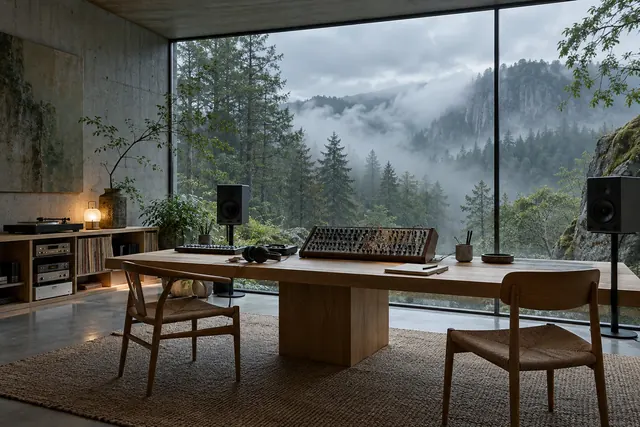
The label’s imaginary workshop: a synthesizer, notebooks and models of musical worlds, an AI illustration.THE WORKSHOP OF POSSIBILITIES / AI CREATION

03 / OUR DNA

Instinct as
our only compass.

Snow Tiger Records imagines artists, bands and worlds with today’s creative tools, including artificial intelligence. From guitars to machines, every project has its own personality, stories and albums to explore.

Our approach is open and transparent: build fictional worlds and share new music with as many people as possible. Choose a setting, meet its characters, then let the tracks tell you what comes next.

Discover our artists
INDEPENDENCECHARACTERFREEDOM

04 / THE LISTENING GUIDE

More than a catalogue.
Worlds to explore.

Your guide to discovering the label
and choosing how you listen.

Virtual artists. Openly fictional stories.

Snow Tiger Records brings together artistic identities created with artificial intelligence. Every project has its own world, covers and albums. The biographies are fictional stories imagined to accompany musical discovery.

The catalogue distinguishes albums, mood collections and works in progress. Available titles, covers and tracks come from the label’s library. The editorial stories are not biographies of real people.

Meet the 11 worlds

FIND YOUR STARTING POINT

A world for every mood.

Choose a musical mood
to open the right chapter.

YOUR CONNECTION, YOUR CHOICE

Your connection. Your settings.

Change quality in the player.
Your place in the track is preserved.

Your albums, on the site and on YouTube.

Each track plays with its official video: the album cover and label logo. The queue, volume, playback position and repeat remain accessible. The video player stays visible: browse pages, view the queue and add tracks without interrupting the current song. Changing pages also preserves repeat and the timer. Leaving the tab pauses the video.

Open the video settings to choose an available quality for your connection.

STABLE CONNECTION

Every detail.

Enjoy the track and its visual world.

In the video settings, choose an available quality that suits your connection. The track is prepared from the best matching source file available.

  • The cover and label logo accompany every track
  • No effects or amplification added to the master
  • YouTube handles the streaming encodings
Understand quality settings
LIMITED CONNECTION

Stay connected.

Adapt the video to your current conditions.

YouTube’s Auto mode adjusts quality to your connection. You can also choose a lower video resolution in its settings to reduce data use.

  • Tracks and their durations stay the same
  • The queue and controls stay accessible
  • Data use depends on YouTube settings
Find the controls

The quality options in YouTube’s menu apply to video. The site does not guarantee a fixed audio bitrate or lossless streaming. Data use varies with the track, browser and player settings.

LISTEN YOUR WAY

Stay in control of what comes next.

Add a track after the current one, organize the queue or schedule a pause. And if you wish, return to your last listening position.

01

Start with a cover.

Open an album to read its introduction, view its details and explore the full track list.

02

Keep your place.

Add an album to your favourites, open the playback queue and explore an artist profile while the music continues.

03

See the sound.

In the immersive view, animations accompany your discovery. With YouTube, they are decorative and do not measure the audio signal. You can pause them.

05 / LISTENING QUESTIONS

Quite simply,
music.

Answers to help you enjoy the catalogue, understand the sources and stay in control of your session.

Which album should I start with?

Featured albums are starting points chosen by the label. On each artist profile, the main button plays a suggested first album. You can then explore the full discography or choose a musical world in the guide.

Are the artists and their stories real?

The artists are virtual creations made with AI. Stories of cities, journeys and characters belong to their artistic fiction. They do not describe careers, concerts or events experienced by real people.

What is the difference between the source file and YouTube playback?

A matching WAV is used to prepare the video when available; otherwise, the available MP3 serves as the source. YouTube then creates its own encodings. Playback therefore does not stream WAV files or provide lossless audio.

How do I choose quality for my connection?

Use the YouTube video player settings. Auto mode can adapt playback to your connection; a lower video resolution can reduce data use. These settings do not guarantee a specific audio bitrate.

What should I do if playback stops?

Check your connection, then try the data-saving quality setting. Keep your listening tab open if several pages are playing at once. After a long pause, press play to renew access to the track. If the site asks you to wait, give it a moment before trying again.

Do I need an account? What does the site store?

The site does not create a user account. Your favourites and volume stay in your browser. A listening position can be saved for 30 days if you enable that option. When a track starts, the official player contacts YouTube and applies that service’s rules, including any cookies and advertising. It does not load before you select a track.

How do I end my session or clear my preferences?

In “Manage my listening”, end the session to stop the sound and close the video. The separate clear button removes local favourites and settings. A new session starts when you play a track again.

Why are some tracks marked “Coming soon on YouTube”?

The catalogue is being published gradually. These songs keep their place, title and share link, but playback will become available after publication. Partially available albums play only published tracks. Queues, shuffle and journeys skip tracks that are still pending.

Why do some projects have no tracks?

A project may already have cover artwork before its audio is added. This is currently the case for Captain by Thunder Angels. The New Album and Album 2 projects keep their working titles and show the available tracks, with no release date announced.

Does the visualizer use the microphone?

No. It analyzes only the sound played by the player. The spectrum shows its frequency distribution and the waveform shows how the signal changes. Animations can be turned off and respect your device’s reduced-motion setting.

What can I share or download?

Share an album or artist link to invite someone to listen on the site. Profiles also offer media kits with images, biographies and promotional text. Original audio files are not offered for download; listening uses the label’s player or the official video on YouTube.


Your next discovery.Choose a track. Turn it up.Available tracks · no account needed
0:00

SNOW TIGER / LISTENING ROOM

Sound takes shape.

YOUR LISTENING SPACE

Find your frequency.

Play an album to see the music come to life.

0:000:00
YouTube · video settingsChoose quality in the video settings.

VISUAL JOURNAL · AI CREATION

Inside the setting.

A fictional world created with AI.

MUSIC IS FOR SHARING

Pass the sound on.

Does a track speak to you? Share the discovery.

ALBUM

Choose your recipient and review your message in the app.

YOUR LISTENING SPACE

Your listening.

READY TO PLAY

Choose your next track.

Your queue and settings, all in one place.

Choose quality for your connection.

THIS TRACK, YOUR WAY

Track options

Explore the album and its story ↗

Listening, made simple.

Listen to the music right here, without an account or a download option.

Vos favoris et votre volume restent dans le stockage local du navigateur. Si vous activez la reprise, le dernier morceau et sa position sont également mémorisés pendant 30 jours au maximum. La mesure d’audience est facultative et désactivée tant qu’aucun service n’est configuré.

Fonts, images and site files are hosted with the site. After you select a track, the official player contacts YouTube, which applies its own rules, including those concerning cookies and advertising.

Ending the session stops playback and closes the video. Your favourites and settings remain available until you clear them.